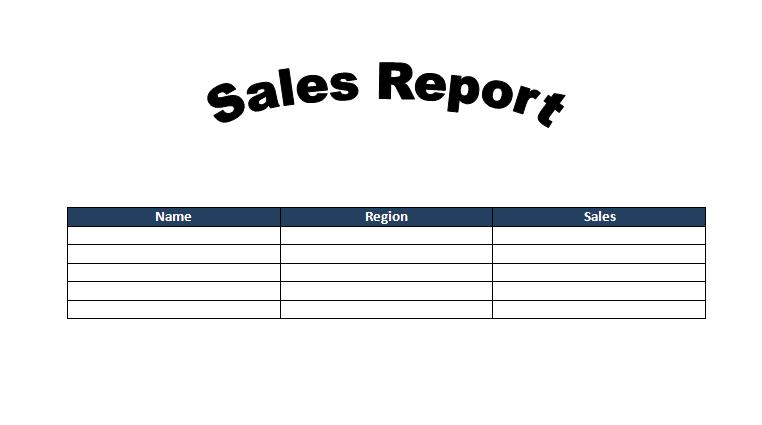
Download word Document
Download Access Database
Here is the code-
Sub add_data_word_table()
Dim doc As Word.Application
Dim cll As Word.Cell
Dim i As Long, j As Long
Set doc = New Word.Application
doc.Visible = True
' TOOL -> REFRENCE-> MICROSOFT WORD
doc.Documents.Open "C:\Documents and Settings\user\Desktop\acess tutorials\access to word.docx"
' below code u can use to find out the cell row and col in the table
Set rs = CurrentDb.OpenRecordset("export to word table", dbOpenDynaset)
rs.MoveFirst
Do While Not rs.EOF
For i = 2 To 6
doc.ActiveDocument.Tables(1).Cell(i, 1).Range.Text = rs.Fields![Name].Value
doc.ActiveDocument.Tables(1).Cell(i, 2).Range.Text = rs.Fields![Region].Value
doc.ActiveDocument.Tables(1).Cell(i, 3).Range.Text = rs.Fields![Sales].Value
rs.MoveNext
Next
Loop
rs.Close
'if you want to change the font size of table
doc.ActiveDocument.Tables(1).Range.Font.Size = 12
doc.ActiveDocument.Tables(1).Range.Font.Name = "Arial"
' center align text
doc.ActiveDocument.Tables(1).Range.ParagraphFormat.Alignment = wdAlignParagraphCenter
'if we add background color to header
'doc.ActiveDocument.Tables(1).Rows(1).Range.Shading.BackgroundPatternColorIndex = 6
End Sub
